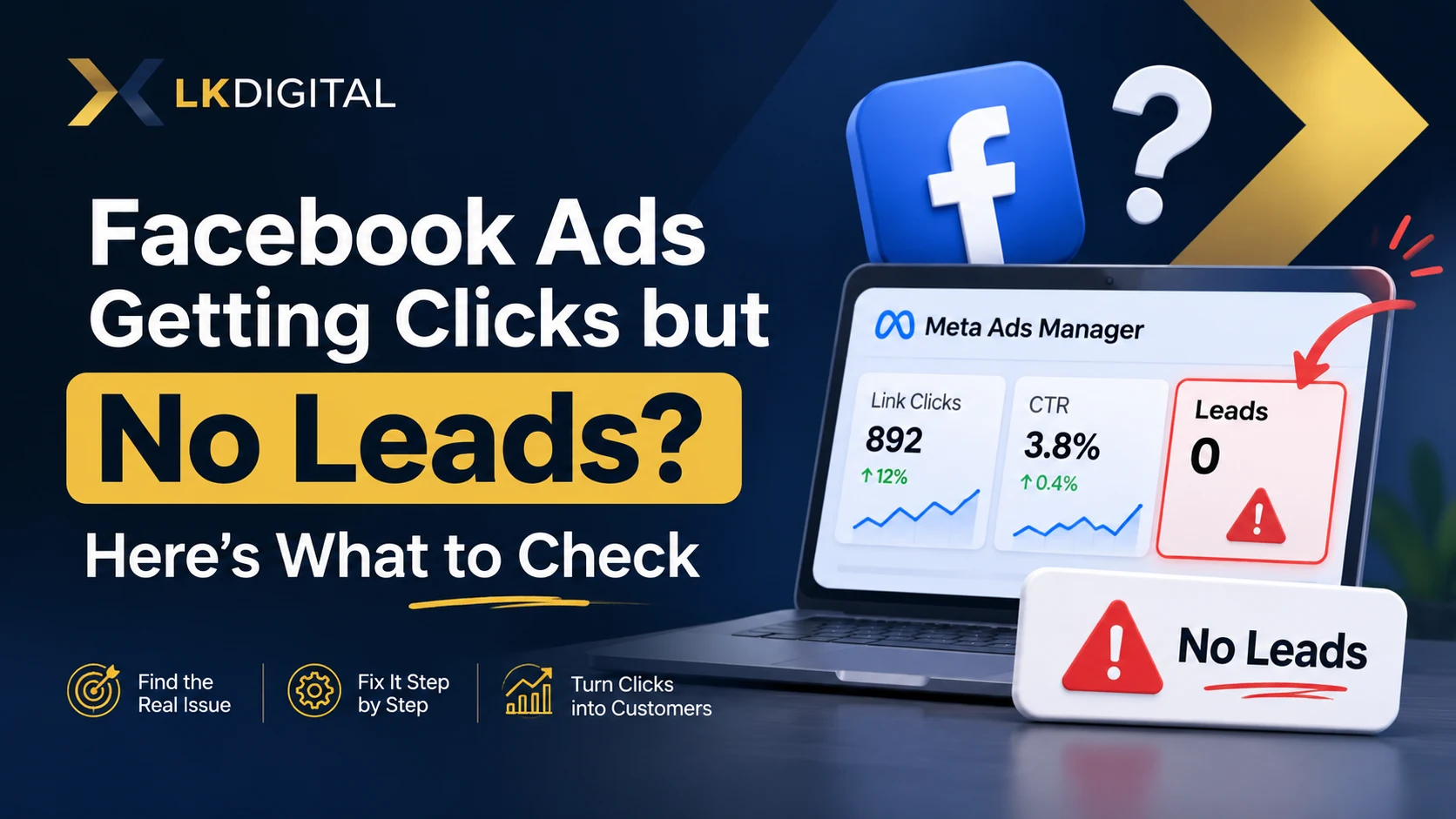
You log into Meta Ads Manager and the surface metrics look great at first glance: a high Click-Through Rate (CTR), strong link engagement, and hundreds of cheap link clicks streaming into your landing page. But when you check your CRM, sales pipeline, or email inbox, there are zero new leads, zero booked calls, and zero form submissions.
Getting a click and capturing a qualified lead require two completely different levels of user intent. An eye-catching ad creative or punchy hook can easily grab attention on Facebook and Instagram, but the conversion journey breaks down immediately when the post-click experience fails to deliver on the ad's promise.
This disconnection typically stems from misconfigured campaign objectives, severe landing page scent mismatches, form friction on mobile devices, or unverified Meta Pixel and Conversions API setups. Here is the sequential 5-step diagnostic framework to plug the leaks in your funnel and convert that paid traffic into actual inquiries.
“Wasted ad spend, corrupted algorithm signals, and false campaign failure. When you ask Meta for clicks, its algorithm doubles down on finding window shoppers and accidental link clickers. Meanwhile, your real offer gets rejected by the algorithm simply because your funnel leaks immediately after the click.”
Clear the Basics: Diagnostic Checklist
Before altering any tags, rule out account-level and environment roadblocks. Use this fast reference table to pinpoint where the bottleneck lives:
| Level | Failure Point | What to Look For | Immediate Action |
|---|---|---|---|
| Campaign Objective | Traffic or Engagement Objective | Campaign objective set to 'Traffic' or 'Engagement' instead of 'Leads' or 'Sales' | Rebuild the campaign using the 'Leads' objective with performance goal set to 'Maximize number of leads' |
| Landing Page | Scent Mismatch | Ad promises a specific offer or audit, but directs traffic to a generic homepage or mismatched service | Build a dedicated landing page mirroring the ad copy, offer, and headline verbatim above the fold |
| Form Friction | Excessive Qualifying Fields | Form asks for 5+ details (company size, budget, address) on mobile before building trust | Trim form to absolute essentials: Name, Email, and Phone Number. Move qualifying questions post-submit |
| Page Speed | Mobile Load Latency | Mobile page load time exceeds 3 seconds on Google PageSpeed Insights (LCP > 2.5s) | Compress heavy images to .webp, remove unused scripts, and simplify page builder layouts |
| Tracking Setup | Unverified Meta Pixel / CAPI | Zero recorded leads in Events Manager Test Events tab after a live form submission | Reconfigure Meta Pixel and Conversions API to trigger the 'Lead' event on thank-you page confirmation |
2. Step-by-Step Fixes
Follow these sequential troubleshooting steps to identify the technical break and restore accurate tracking data.
Change Your Campaign Objective from 'Traffic' to 'Leads'
If you tell Meta you want traffic, its algorithm will find people who love clicking links but rarely fill out forms. Getting clicks and capturing leads require completely different optimization models.
Action Checklist:
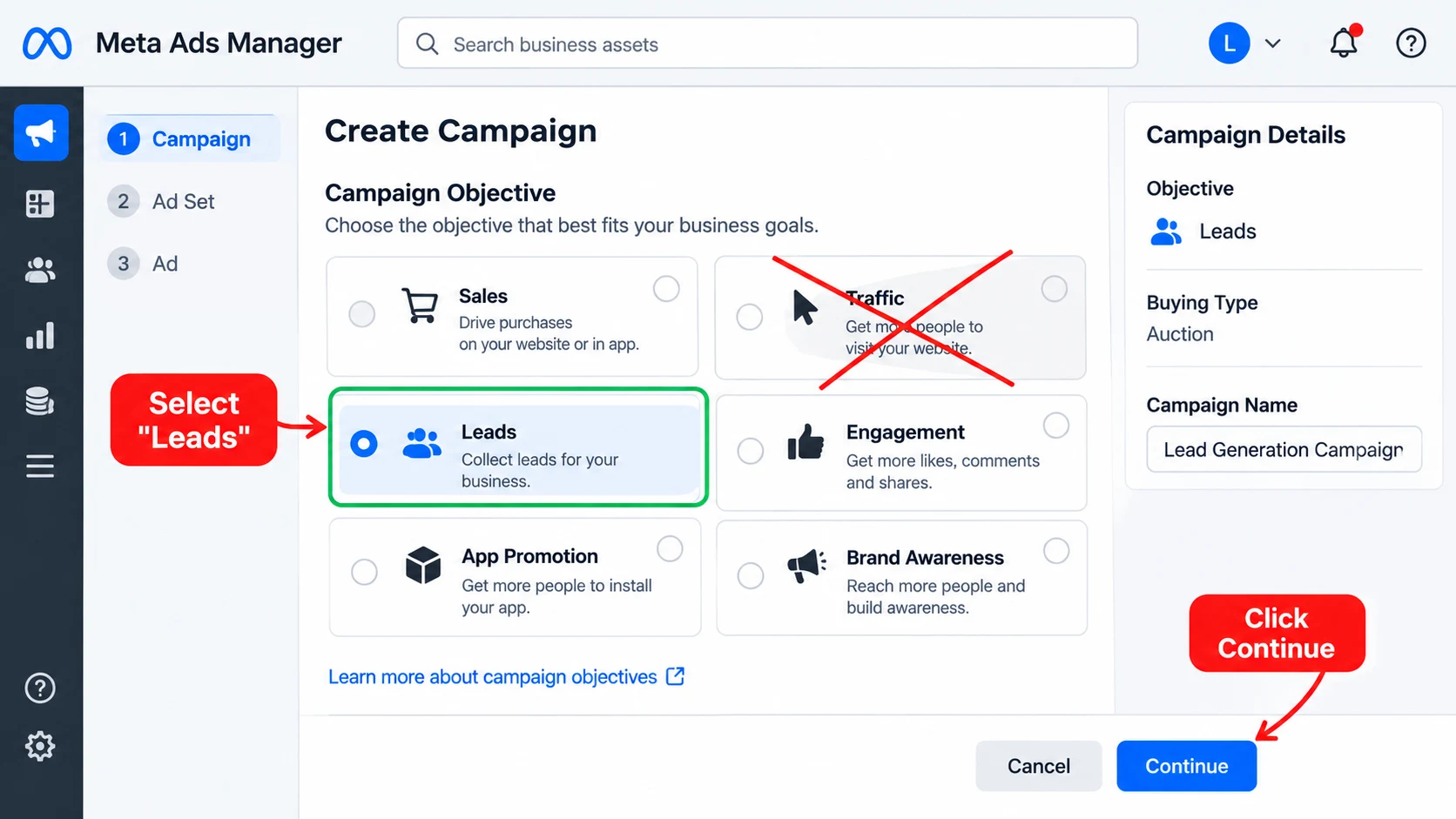
- 1Navigate to Meta Ads Manager and click + Create to start building a new campaign.
- 2Under the Campaign Objective selection, choose Leads (or Sales for e-commerce), never Traffic or Engagement.
- 3At the Ad Set level, set your Conversion Location to Website, Instant Forms, or Messenger based on where you collect contact info.
- 4Ensure your Performance Goal is explicitly set to 'Maximize number of conversions' or 'Maximize number of leads'.
- 5Verification: Confirm that your ad set displays the target green checkmark on the selected Lead conversion event before publishing.
LK Digital Pro Tip: Meta's machine learning model optimizes strictly toward your stated objective. When you select 'Traffic', Meta deliberately targets users with high click propensity (fast scrollers and accidental clickers) who statistically have the lowest form-completion rate.
Check for a 'Scent Mismatch' Between Ad and Landing Page
If your ad promises a 'Free SEO Audit' or a specific discounted service but the landing page is a generic homepage asking them to 'Book a Consultation', visitors feel confused and bounce in seconds.
Action Checklist:
- 1Click your live ad preview link exactly as a user would on a mobile device.
- 2Read the primary headline and offer in your ad creative, then immediately read the hero headline on your landing page.
- 3Evaluate visual consistency: Do the colors, branding, imagery, and value proposition match seamlessly without any cognitive dissonance?
- 4The Fix: Create a dedicated, focused landing page for each campaign. If your ad promotes a specific price, hook, or special offer, that exact wording must be the prominent H1 hero headline visible above the fold on mobile.
- 5Eliminate Distractions: Remove top navigation bars, social media links, and unrelated footer menus that pull prospective leads away from your form.
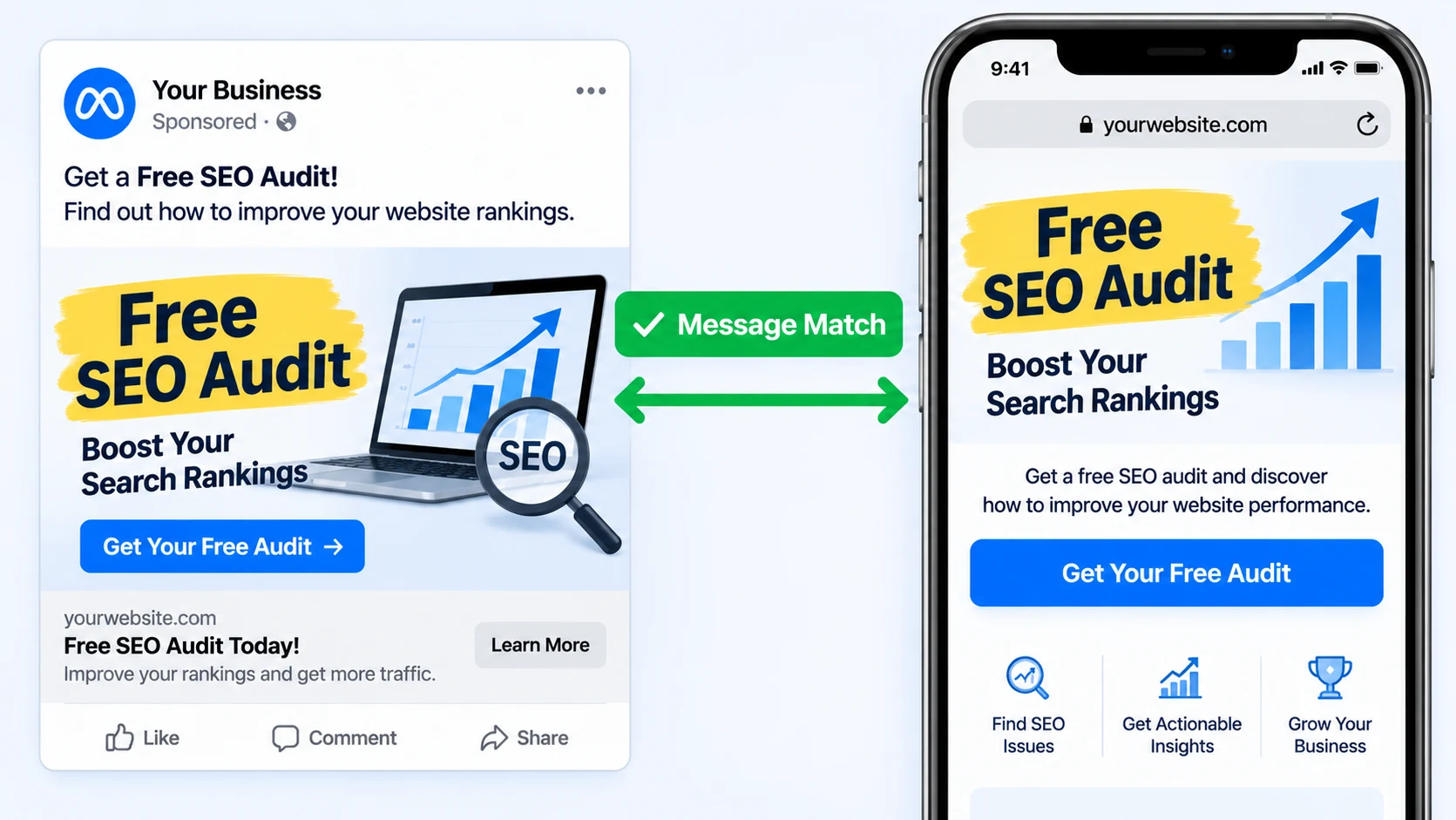
LK Digital Pro Tip: Never send paid Meta traffic to your root domain homepage. Homepages serve multiple personas with dozens of escape routes. Dedicated standalone landing pages convert at 3x–5x higher rates because they have a single clear conversion goal.
Simplify Your Lead Capture Form to Eliminate Friction
Every extra field on your form drops conversion rates drastically. Mobile users on social media are easily distracted; demanding their company size, budget, and physical address up front kills conversions.
Action Checklist:
- 1Review your website contact form or Meta Instant Form builder settings.
- 2Count the mandatory form fields: If you are requiring more than 3 to 4 inputs on step one, you are leaking high-intent prospects.
- 3The Fix: Reduce your initial form fields to the absolute minimum: Full Name, Email Address, and Phone Number.
- 4Move in-depth qualification: Defer deep qualifying questions (like annual budget, timeline, or company size) to the post-submission thank-you page survey or your direct sales call.
- 5If using Meta Instant Forms (Lead Ads), enable the 'Higher Intent' review step or add 1 custom multiple-choice question to filter out accidental autofill clicks.
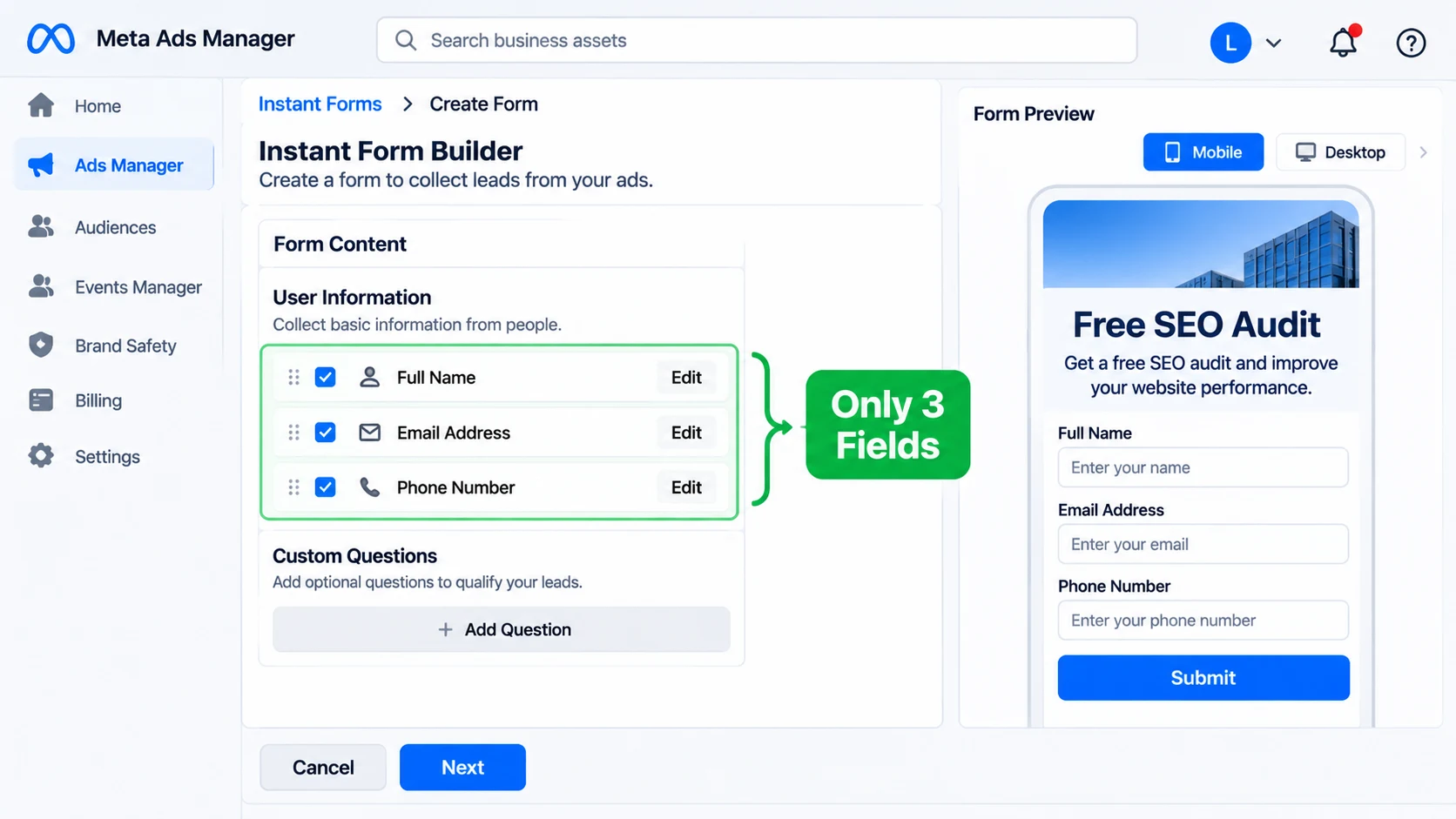
LK Digital Pro Tip: If you notice high bounce rates on external landing pages, test Meta Instant Forms (native in-app Lead Ads). Because Meta autofills user details directly within the Facebook/Instagram app, form completion rates are typically 40%–60% higher than external mobile web forms.
Verify Landing Page Mobile Load Speed and Core Web Vitals
Mobile users will not wait more than 3 seconds for a landing page to load. If your site drags, Meta registers a billable 'link click' the millisecond the ad is tapped, but the visitor bounces before your site even renders.
Action Checklist:
- 1Open Google PageSpeed Insights (pagespeed.web.dev) in your browser.
- 2Enter your dedicated campaign landing page URL and execute the mobile diagnostics audit.
- 3Inspect the Largest Contentful Paint (LCP) and First Contentful Paint (FCP) metrics: LCP must load under 2.5 seconds on mobile 4G networks.
- 4The Fix: Compress all hero imagery to lightweight next-gen .webp format, defer non-critical JavaScript, and purge bloat from heavy page builders or plugins.
- 5Compare 'Link Clicks' vs 'Landing Page Views' in Meta Ads Manager: A drop-off greater than 20% indicates visitors are bouncing during load latency before the Meta Pixel can even fire.
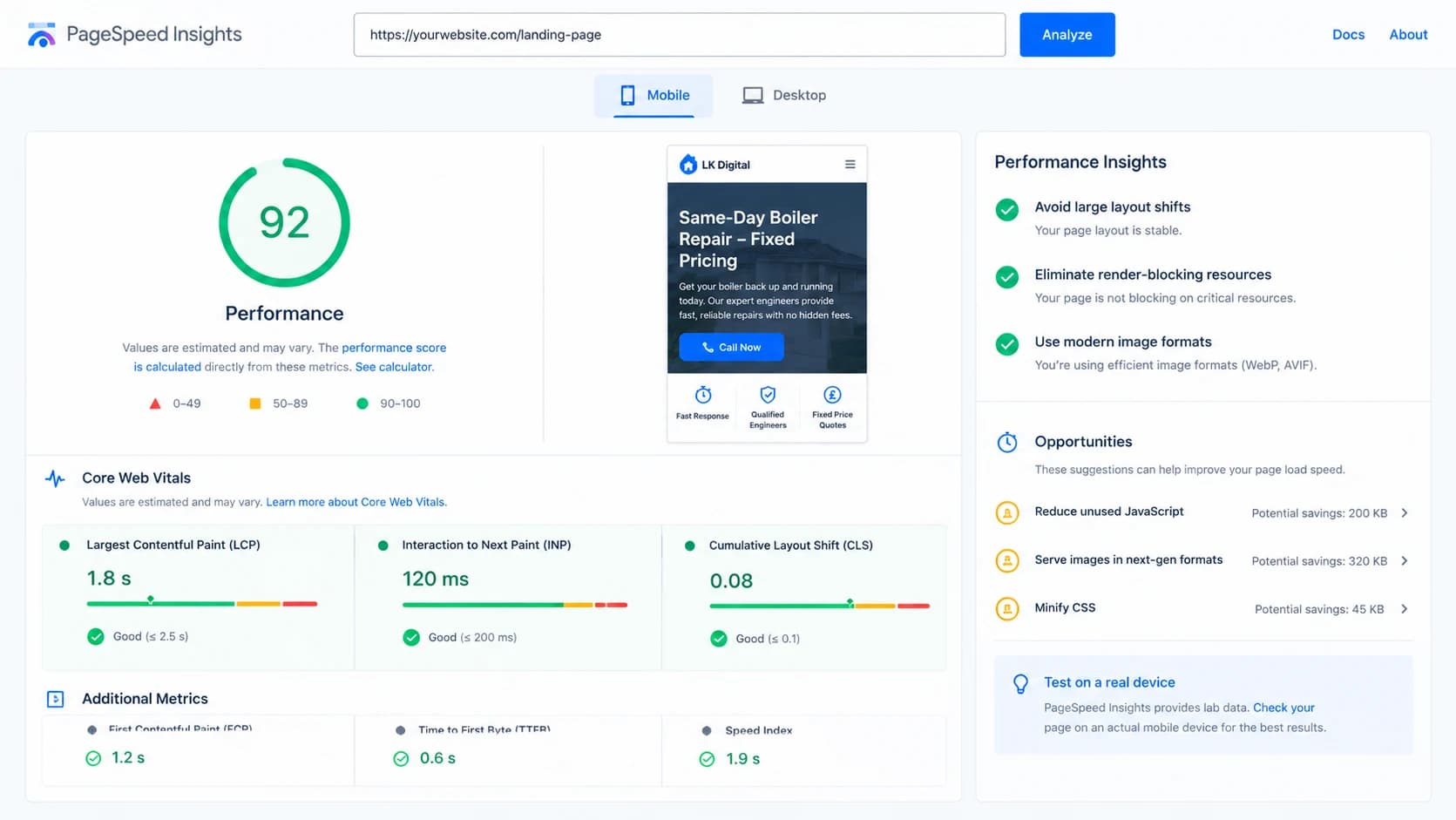
LK Digital Pro Tip: In Meta Ads Manager, always add the 'Landing Page Views' column alongside 'Link Clicks'. If you have 500 link clicks but only 250 landing page views, you are losing 50% of your paid traffic solely due to mobile page load latency.
Test Your Conversion Tracking in Meta Events Manager
You might actually be generating leads in reality, but Meta Ads Manager shows zero conversions because your tracking tag is broken, misconfigured, or missing the trigger on form submission.
Action Checklist:
- 1Open Meta Events Manager within your Meta Business Suite dashboard.
- 2Select your Data Source (Pixel / Dataset) and click into the Test Events tab.
- 3Under 'Confirm your website's events are set up correctly', enter your landing page URL and click Open Website.
- 4In the new window that opens, fill out your lead form completely with test contact data and submit it.
- 5Switch back to the Test Events tab in Events Manager: Check if a 'Lead' event appears in the real-time activity log.
- 6The Fix: If no event appears or only 'PageView' is recorded, reconfigure your Meta Pixel event setup tool, Google Tag Manager trigger, or Conversions API gateway to fire the Lead event on confirmation.
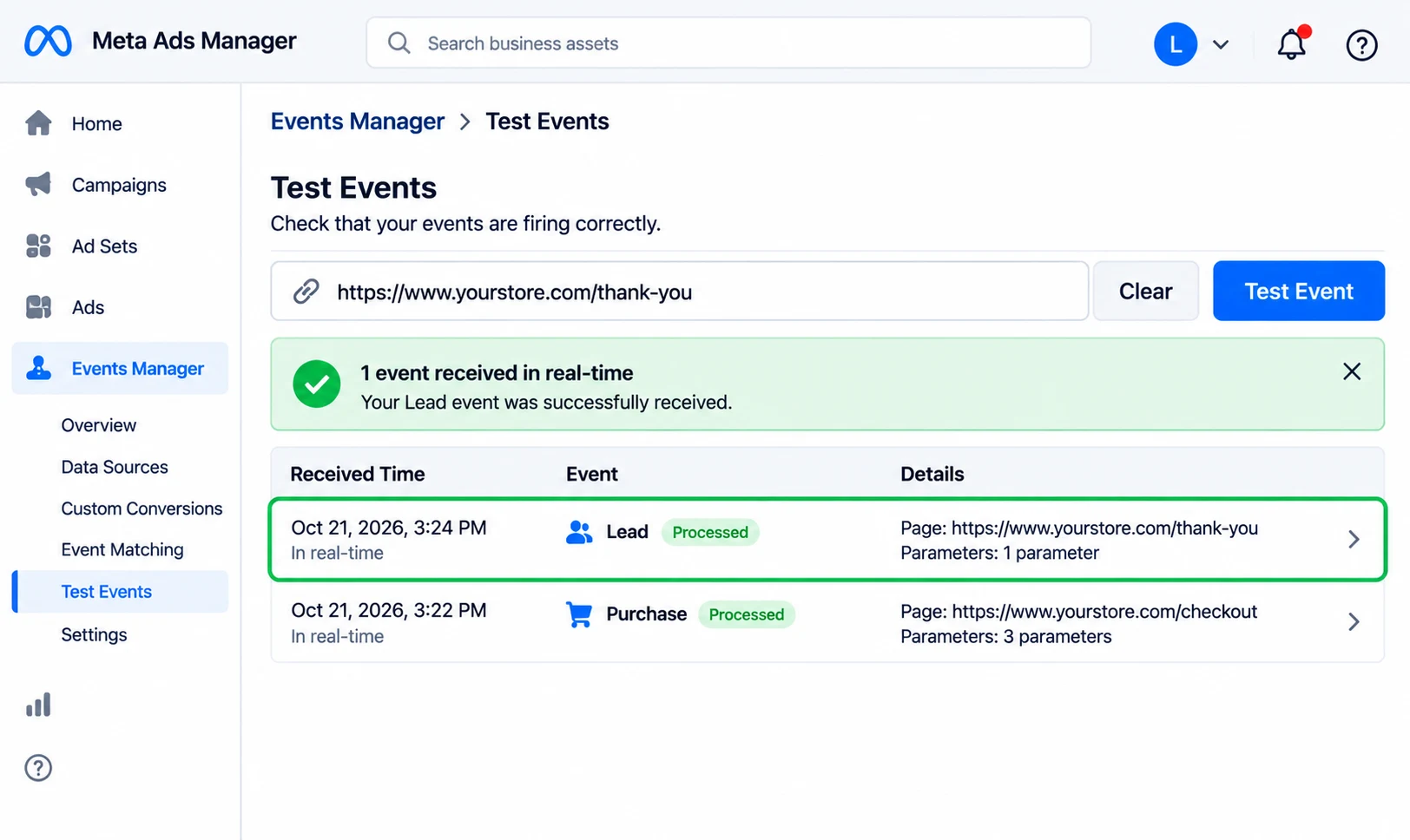
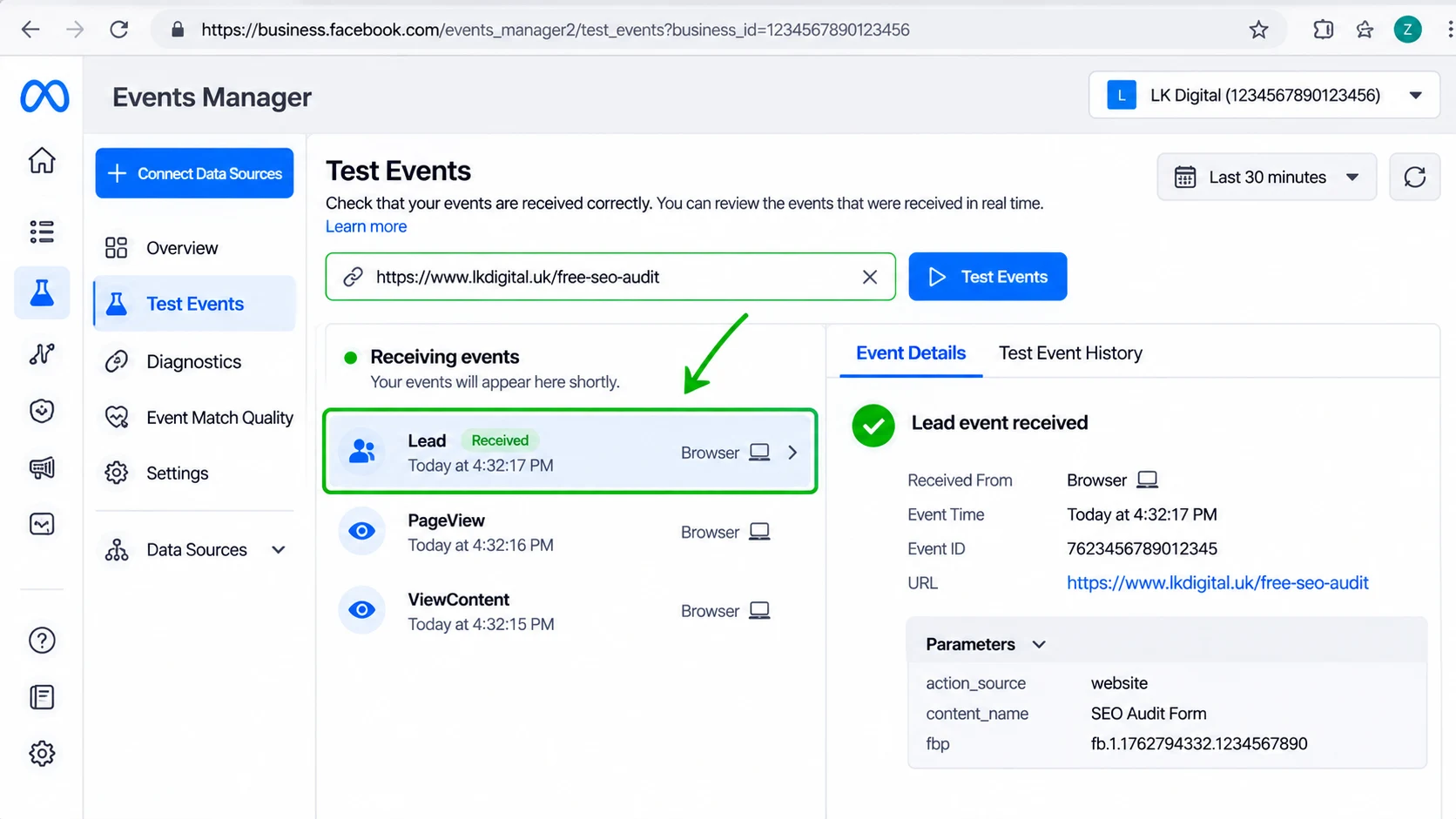
LK Digital Pro Tip: Always implement server-side Meta Conversions API (CAPI) alongside browser Meta Pixel. Browser-only tracking can miss 15%–30% of conversions due to iOS privacy controls, ad blockers, and cookie restrictions.
How Long Until Tracking & Delivery Restores?
Once these adjustments are applied, event verification and attribution reconnect according to these pacing benchmarks:
Meta's delivery algorithm exits learning phase for clicks and begins seeking high-intent lead submitters.
Mobile bounce rates plummet instantly as visitors recognize the exact offer they clicked on.
Form completion rates jump 30%–50% on mobile devices by removing unnecessary friction.
Leads begin populating accurately inside Ads Manager, enabling algorithmic budget scaling.
If your Meta campaign reaches 100 link clicks on a verified 'Leads' objective with a mobile-optimized 3-field form and you still have 0 inquiries, pause the ad sets immediately. Review your core offer, pricing transparency, and audience targeting. No amount of traffic optimization will fix an offer that your target market simply does not want.
Need a professional to handle your Meta Ads?
If your landing pages and ads still aren't generating leads after following this guide, there might be a deeper structural issue with your funnel or tracking. You don't have to waste time guessing.
Reach out to us at zidan@lkdigital.uk to have the LK Digital team diagnose and solve the problem for you.